I really want to avoid using my phone for eBike navigation…
For motorcycles, there’s a flood of 5 to 7-inch “display audio” units out there that support Android Auto and CarPlay, and we’re seeing more and more reviews. They’re priced at a point where you might just pick one up for fun, similar to how people used to grab those cheap Chinese tablets a while back.
The reason I was interested is that I wondered if I could use one on an eBike too. Motorcycle riders have often reported iPhone cameras breaking due to vibrations, and since phones are so expensive, I’m always worried about them getting damaged or dropped. Plus, they’re full of personal info, so theft is a concern. Not to mention, apps can crash from overheating under the summer sun. I’ve been looking for an alternative to using my phone for eBike navigation, which is why these display audio units caught my eye.
The Mitsukin PDA-05B
That’s when the PDA-05B came along. Since a domestic distributor started carrying it, I felt a bit better about things like wireless certifications and quality assurance. It’s nearly 10,000 yen more expensive than the parallel imports that look like the same product, but I figured getting a 5-inch CarPlay/Android Auto display for under 30,000 yen was a good deal, so I pulled the trigger.
I skipped taking photos and just unboxed it. There was no manual, just a sheet of paper with a QR code that likely leads to a setup video. But the setup is so simple you don’t really need it. Here’s what was in the box (along with some small parts):
- Main unit and mount (They snap together and are secured with a small screw on the back—a simple design that actually makes it easy to remove when you step away from the bike, which I like.)
- U-bolt clamps (two different widths) and what looks like a RAM mount attachment.
- A socket arm to connect the main unit mount to the RAM mount.
- Two types of power cables (USB power cable and a hardwire cable for a motorcycle battery).
Easy Installation and Setup
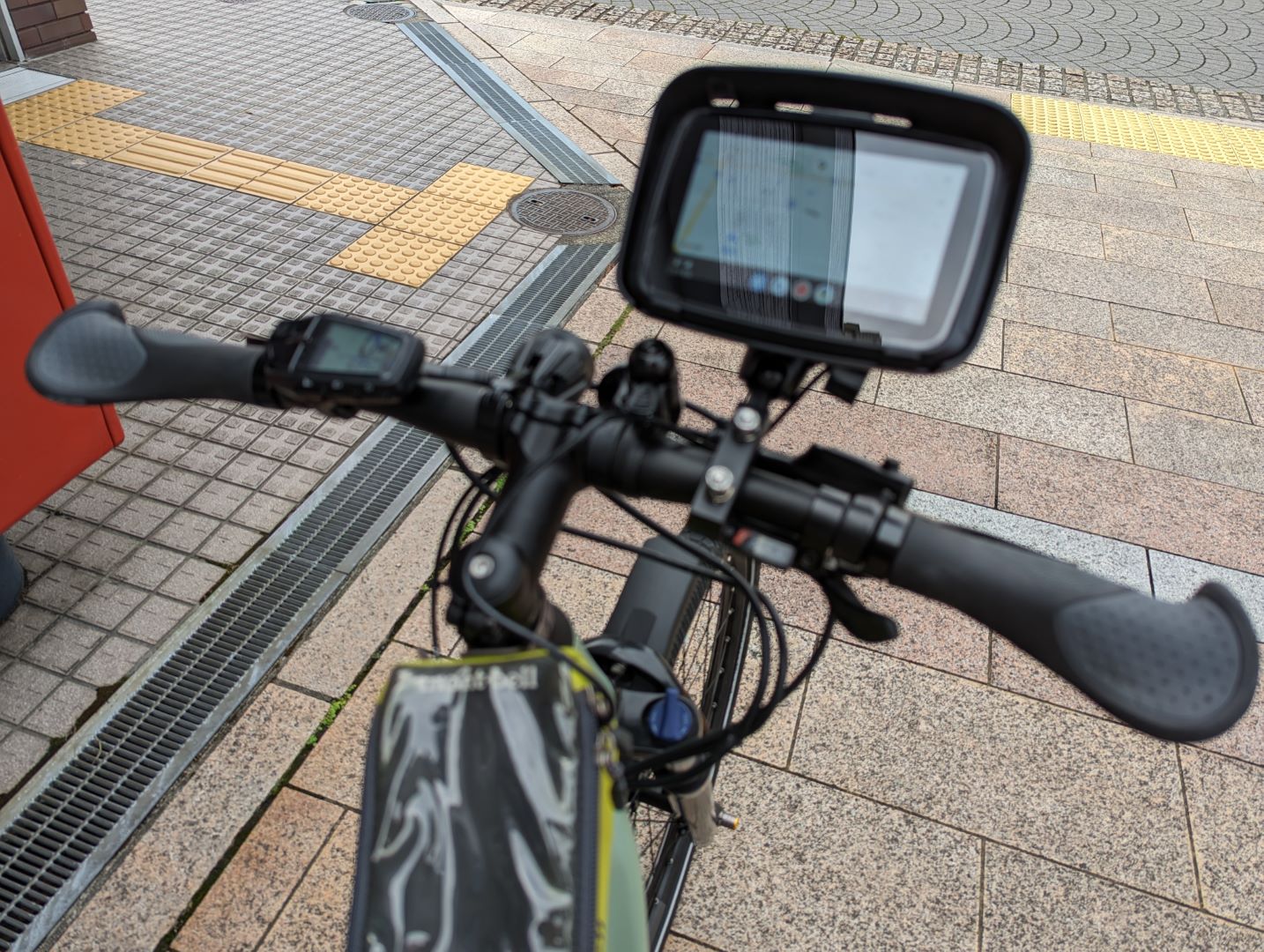
(The photo is a bit blurry…) As you can see in the first photo, I clamped the U-bolt onto the handlebar and secured it with the RAM mount bracket and nuts. There’s an arm that holds both the handlebar RAM mount and the unit mount, and the first photo shows it all put together. Since I can’t use direct battery power, I just ran the cable to a Montbell case I already have for a power bank and plugged it in. The battery side isn’t fully waterproof, but it shouldn’t be a major issue.
Connecting the unit to my smartphone was also super easy. When you turn on the unit, the Bluetooth name appears on the screen, and you just pair it with your phone. Once paired, Android Auto works normally (it likely connects via Wi-Fi too, but you don’t even have to think about that during setup).
Once paired, it automatically connects every time you turn it on by plugging in the power bank. I did have one instance where it connected via Bluetooth but Android Auto didn’t launch, so I’ll have to keep an eye on its stability.
A Few Issues, but Overall Very Satisfied
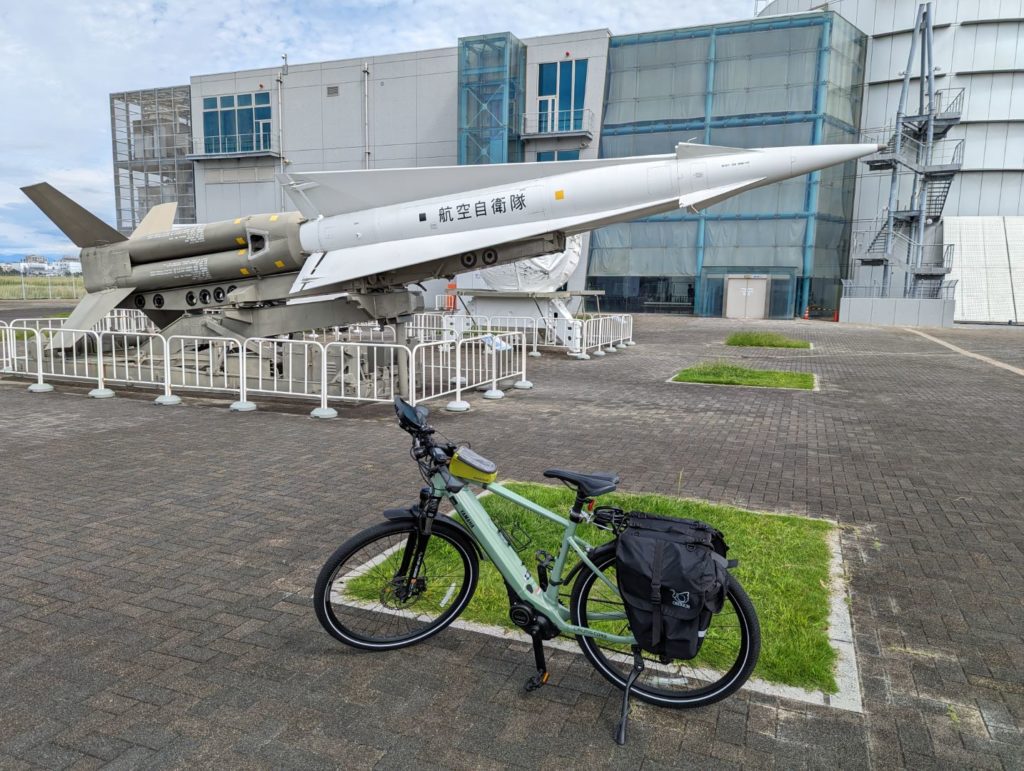
So, I took a little trip to the JASDF Air Park in Hamamatsu to see how it performs.

But right at the start, I hit the biggest disappointment… Android Auto doesn’t support “Walking” or “Cycling” modes for navigation. Since it’s designed for cars, I guess that makes sense, but it means I can’t look for shortcuts or bike-friendly paths. I really wish Google would let us choose the mode… I’m debating whether to try a different navigation app that supports Android Auto.
That said, as a navigator, it works reliably and the bright screen is very easy to read. The touchscreen works well enough—maybe not buttery smooth, but no complaints. Power consumption seems low enough for power bank use. Plus, being able to easily remove the unit when I’m worried about theft is a big plus.
If I find a better navigation app, I might switch over and give it a try.
コメント